APPS FOR JIRAPractical apps for
better Jira workflows.
Practical tools for the way your team works in Jira.
Start with ProjectClone, now in two editions: Free and Pro.
Explore our apps ↓
OUR PRODUCTS
Apps for your Jira.
Built for Jira CloudProjectClone
Two editions: start free, or go further with Pro. Compare them →PCFREE
ProjectClone (Free)
Free · Available nowThe classic way to start a project.
Create a new Jira project from an existing one, with control over its schemes, components, roles and project lead.
- Choose a source project
- Keep or swap each of the 7 schemes
- Copy components and project roles
PCPRO
ProjectClone Pro
Pro · Available nowClone it all, even across sites.
Everything in ProjectClone, in a new interface, plus boards and sprints, ticket copying with a review before anything changes, and copying whole projects between Jira Cloud sites.
- New interface with live progress
- Copy tickets, boards and sprints
- Copy projects between Jira sites
Excel Exporter
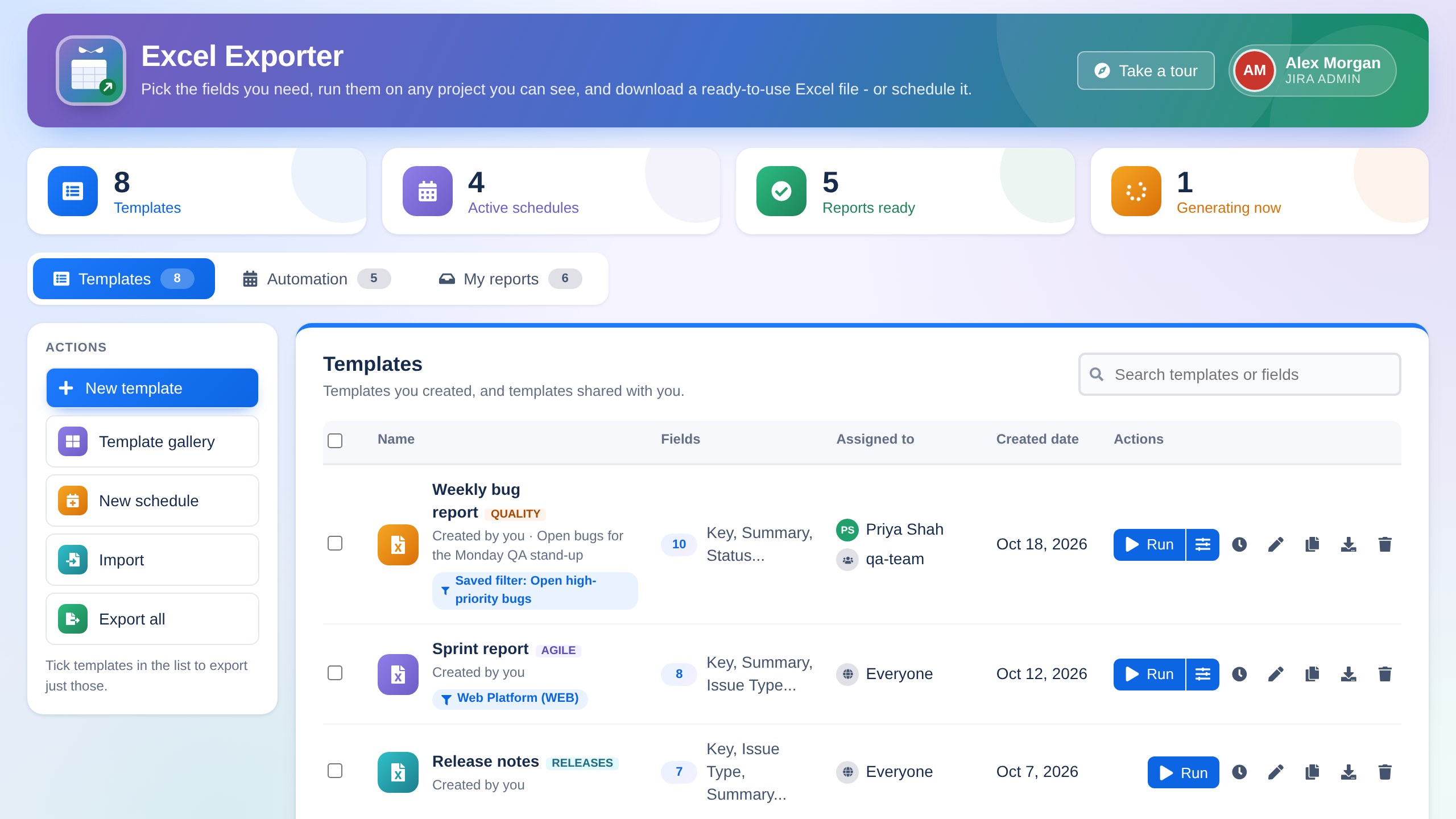
Jira to Excel, on demand or on a schedule.Excel Exporter
Paid app · Awaiting Marketplace approvalBuild reusable Excel templates from any Jira fields, run them on a project or a saved filter in one click, and get styled spreadsheets, or schedule them daily, weekly or monthly.
- Templates from any system or custom field
- Run on a project or a Jira saved filter
- Daily, weekly or monthly schedules
COMPAREProjectClone or ProjectClone Pro?
ProjectClone (Free) creates a new project from an existing one. ProjectClone Pro does that in a new interface, and also copies tickets, boards and sprints, and whole projects between Jira Cloud sites.
| Feature | FREEProjectClone (Free) | PROProjectClone Pro |
|---|
| Cloning projects |
|---|
| Create a new project from an existing one | ✓ | ✓ |
|---|
| Keep or swap each of the 7 schemes | ✓ | ✓ |
|---|
| Copy components and project roles | ✓ | ✓ |
|---|
| Keep the project lead or choose a new one | ✓ | ✓ |
|---|
| Copy boards and sprints | — | ✓ |
|---|
| Bring every ticket along with the clone | — | ✓ |
|---|
| Copying tickets |
|---|
| Copy tickets into a project you already have | — | ✓ |
|---|
| Fields, status, comments, attachments, watchers, sub-tasks, links and versions | — | ✓ |
|---|
| Review mismatched issue types, statuses, fields and users before copying | — | ✓ |
|---|
| Copies run in the background, with cancel and resume | — | ✓ |
|---|
| Between Jira Cloud sites |
|---|
| Copy whole projects from another Jira Cloud site | — | ✓ |
|---|
| Read-only connections; the source admin picks which projects are shared | — | ✓ |
|---|
| Admin and control |
|---|
| Choose who can use the app | By group | By user or group |
|---|
| Logs page with 90 days of history and CSV export | — | ✓ |
|---|
| Job IDs, and admins can resume a stopped copy | — | ✓ |
|---|
| Interface and price |
|---|
| Interface | Classic | New, redesigned interface with guided tours |
|---|
| Price | Free | Paid, with a free trial on Atlassian Marketplace |
|---|
Choose by what you need to do
“I need a new project with the same setup as an existing one.”
FREE ProjectClone (Free)“I want the new project to come with its boards, sprints and tickets.”
PRO ProjectClone Pro“I’m moving or merging work into a project that already exists.”
PRO ProjectClone Pro“I’m moving a project to another Jira Cloud site.”
PRO ProjectClone Pro“I need to control exactly who can copy, and see what was copied.”
PRO ProjectClone Pro“I want to try it first at no cost.”
FREE ProjectClone (Free), or a free trial of
ProjectClone Pro
A little guidance goes a long way.
Read the ProjectClone (Free) guides, see what's new in ProjectClone Pro, or get in touch.